NormCap
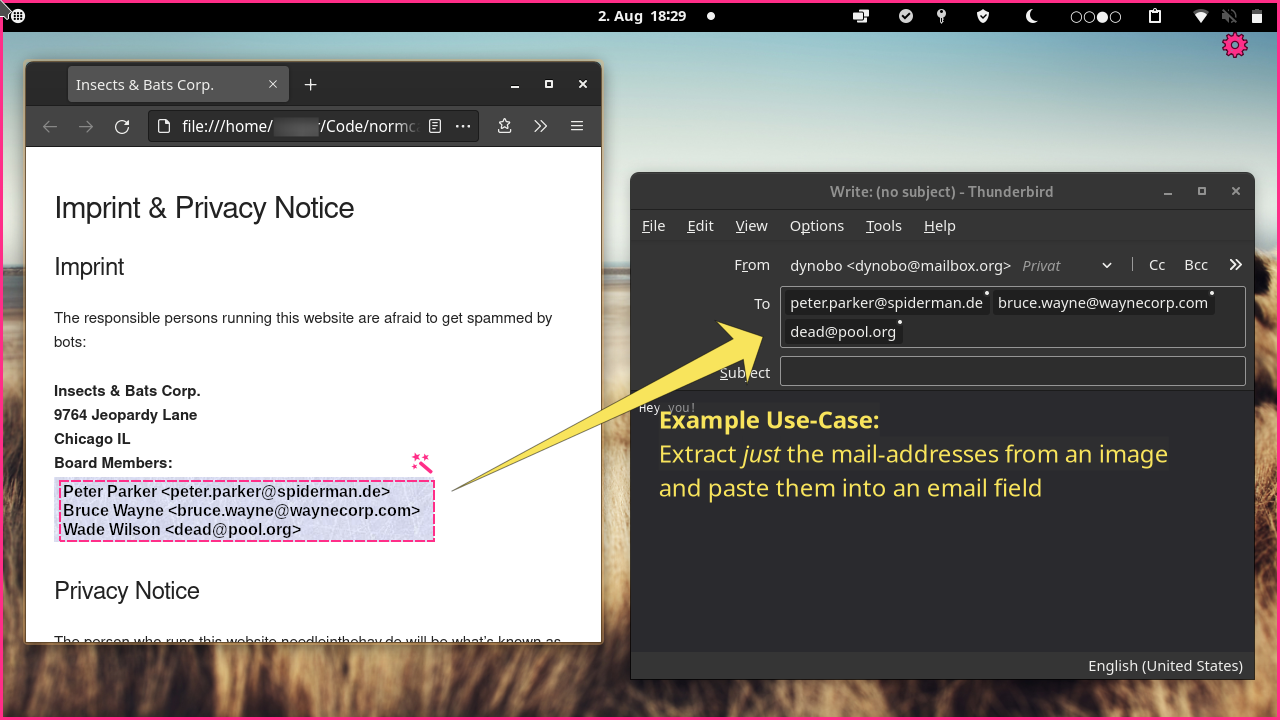
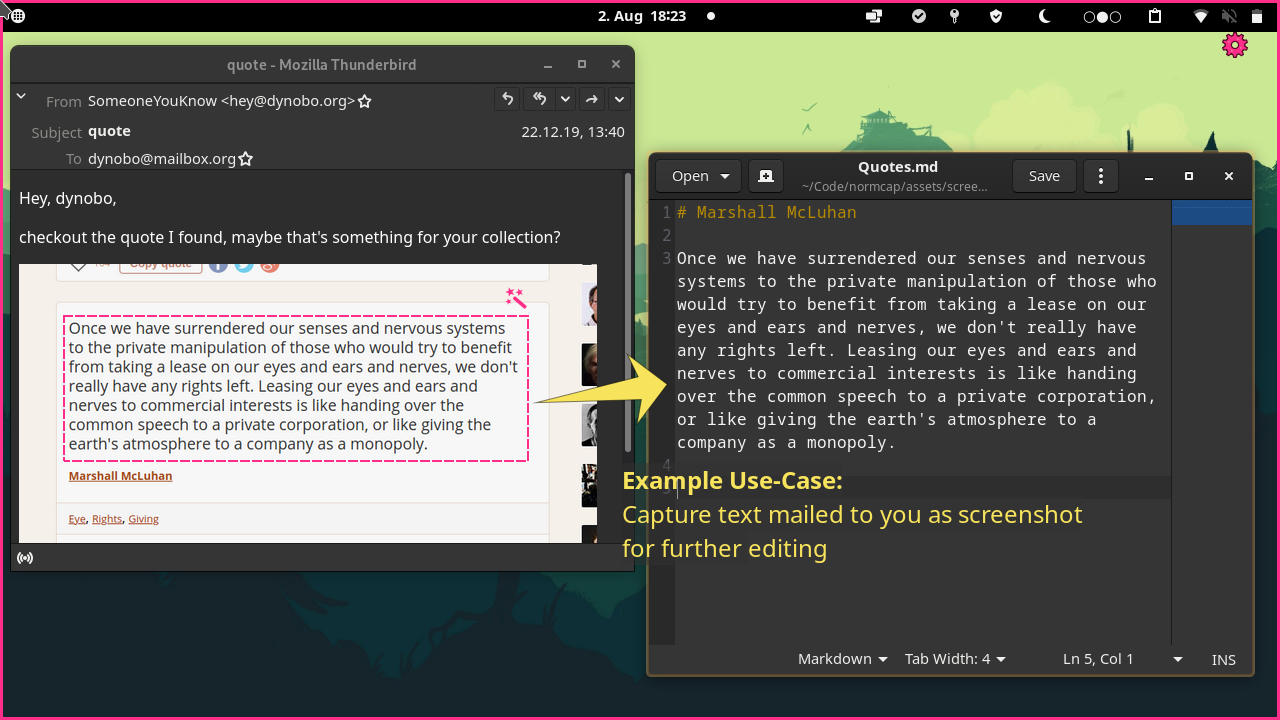
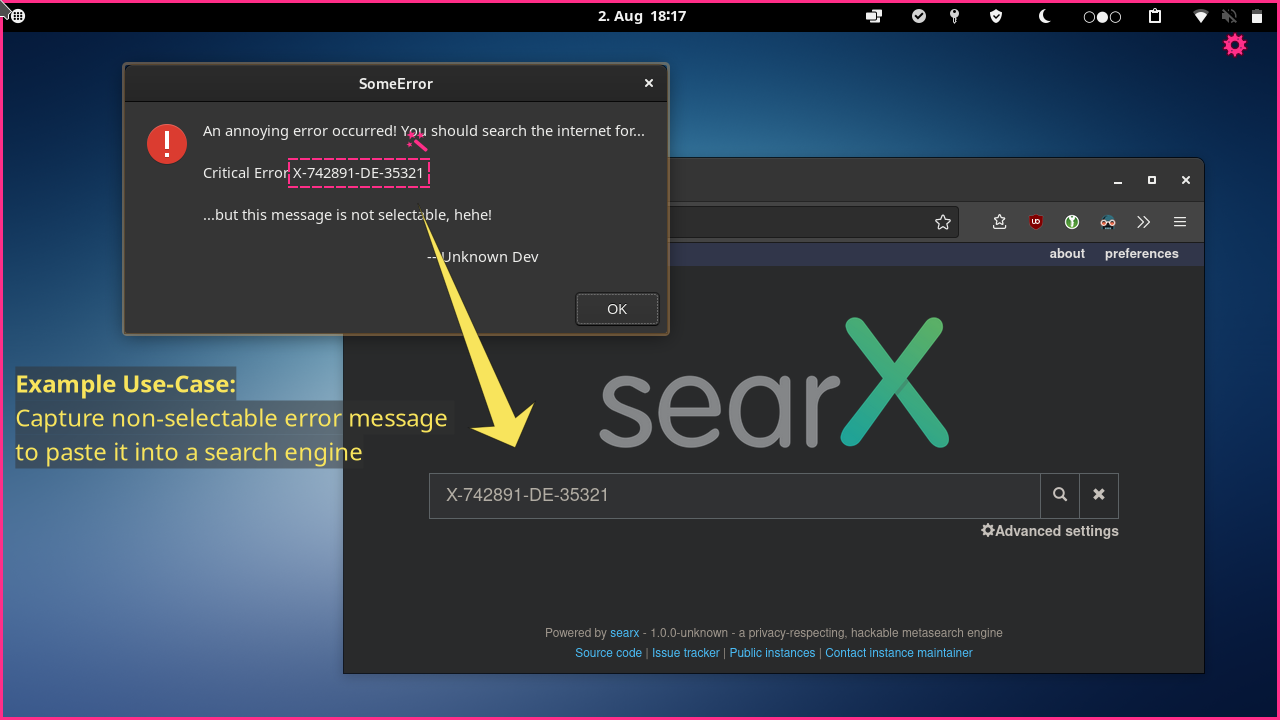
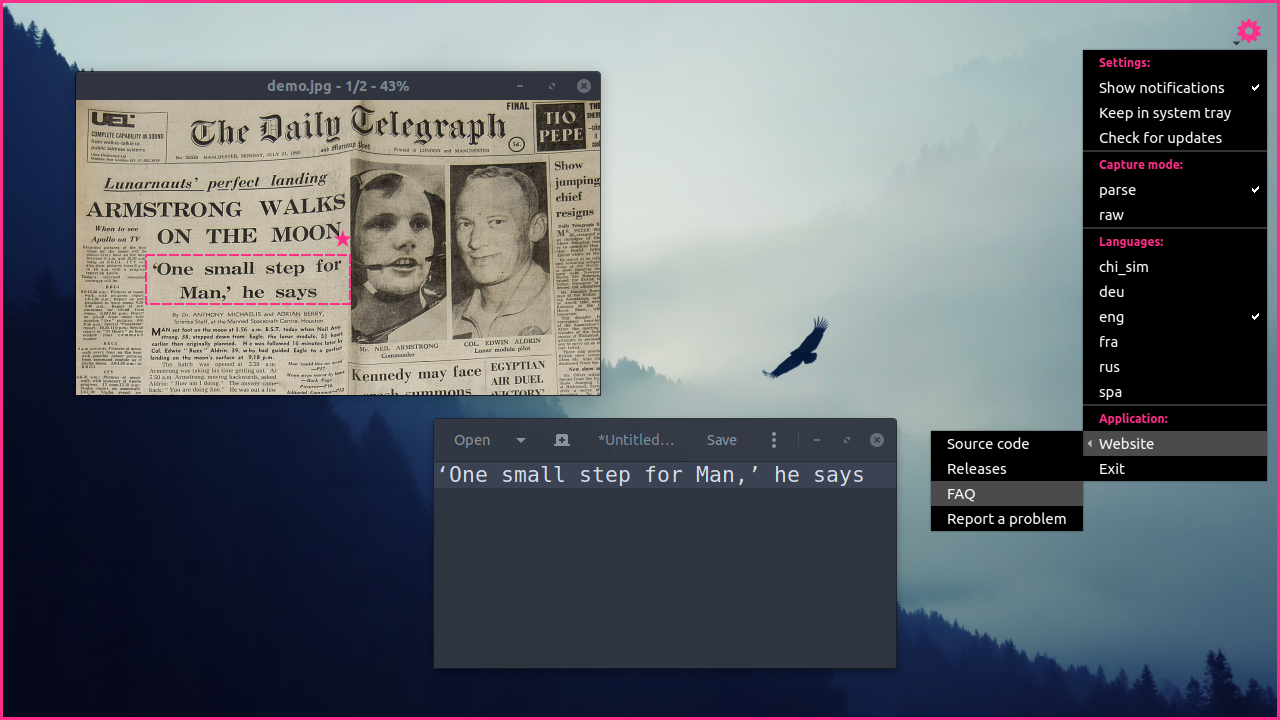
Discover NormCap, the ultimate OCR-powered screen-capture tool. Read our review to see how this open-source utility extracts text from your screen instantly.
An Elegant Solution for Instant Text Extraction
NormCap OCR-powered screen-capture is a highly efficient utility designed to help users capture information instead of raw images. Developed by dynobo, this open-source application bypasses the tedious process of manual transcribing by converting visual text on your screen into editable clipboard data instantly. Whether you are dealing with locked PDFs, images, or video frames, this tool streamlines your workflow seamlessly.
How the NormCap OCR-Powered Screen-Capture Works
Operating this utility is incredibly straightforward, requiring only a few simple steps to extract text from any visible region on your monitor:
- Launch the NormCap application on your system.
- Select the specific region on your screen containing the text you need.
- Wait briefly while the advanced OCR engine processes the selection.
- Paste the extracted text directly into any document or editor using your standard paste command (Ctrl+V).
Key Features and Capabilities
NormCap stands out in the productivity space due to its robust feature set designed for modern professional workflows:
- Multi-Language Detection: Recognizes and extracts text in numerous languages, making it ideal for international research.
- Barcode and QR Code Support: Go beyond standard text by scanning and decoding QR codes and barcodes directly from your desktop.
- Heuristic Parsing: Employs smart parsing logic to clean up and improve the formatting of the extracted text.
- Strict Offline Privacy: Your data never leaves your computer, ensuring complete privacy and security for sensitive information.
- Multi-Monitor Compatibility: Works flawlessly across complex multi-display workstations.
Who Benefits Most from This Utility?
This software is a game-changer for researchers, developers, and writers who frequently need to copy unselectable text from educational videos, system terminals, or scanned documents. Because it is available across Linux, Windows, and macOS, it fits perfectly into any cross-platform environment without a learning curve.
Get Started with NormCap
If you are ready to boost your productivity and stop retyping text from images, we highly recommend trying this tool. To explore this open-source utility, head over to the official Flathub store page to get started with the installation on your Linux system.